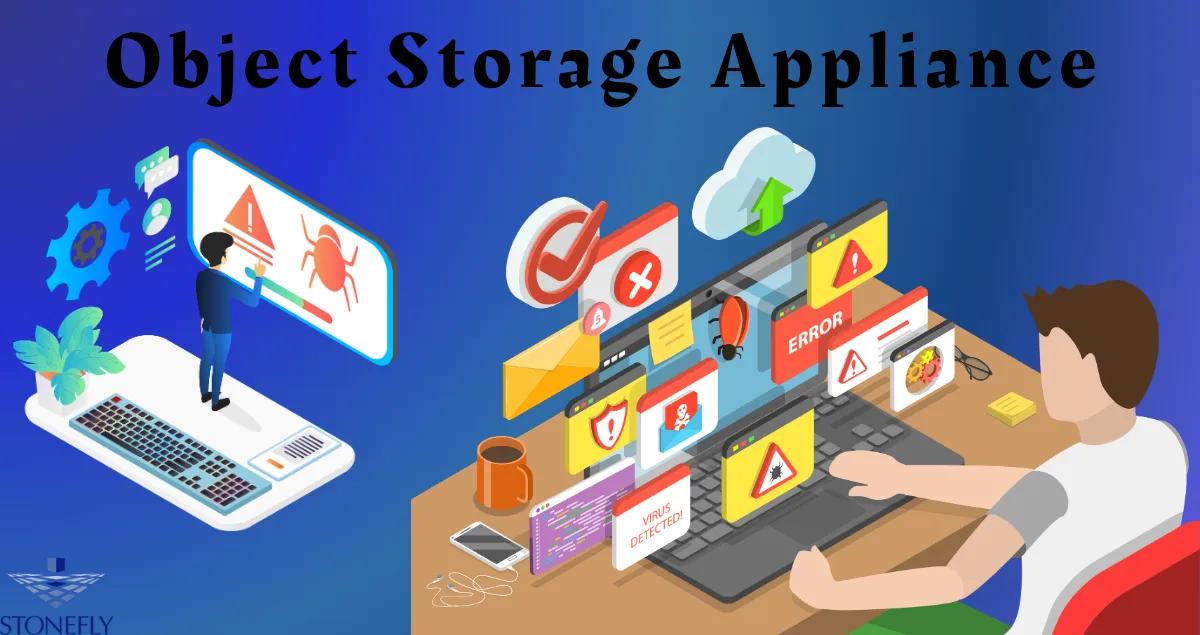
Object Storage Appliance
Data centers are noisy, complex environments. Between managing cooling, power, and an endless tangle of cables, the last thing an IT administrator needs is a storage system that requires a PhD to configure. Yet, as data growth explodes into the petabyte range, traditional file servers are choking. They simply cannot handle the volume of unstructured data—videos, backups, logs, and images—that modern businesses generate. This bottleneck has driven the rise of the Object Storage Appliance, a purpose-built hardware solution that combines the scalability of cloud architecture with the plug-and-play simplicity of a toaster. These dedicated units strip away the complexity of building your own storage clusters, offering a pre-configured path to limitless capacity.
For many organizations, the decision to modernize infrastructure is paralyzed by the "build vs. buy" debate. Do you build a software-defined cluster using commodity servers, hoping the hardware compatibility list is accurate? Or do you buy a dedicated unit where the software and hardware are engineered to work in perfect harmony? This article argues for the latter, exploring why an integrated appliance approach is often the fastest, safest, and most cost-effective way to tame the data beast.
The Engineering Advantage of Integration
The primary allure of an appliance model is integration. In the world of "Software-Defined Storage" (SDS), vendors often sell you a license and tell you to install it on your own servers. While flexible, this approach shifts the burden of validation onto you. You become the system integrator.
Optimization Out of the Box
When you deploy a dedicated appliance, the manufacturer has already done the heavy lifting. They have tested the specific hard drives, the memory modules, and the network interface cards to ensure they don't just work, but work optimally with the storage software.
This tight coupling allows for performance tuning that generic setups can't match. The operating system is often stripped down (hardened), removing unnecessary services that could slow down input/output (I/O) operations or introduce security vulnerabilities. You aren't running a general-purpose server that happens to store data; you are running a machine whose sole existence is dedicated to preserving and serving objects efficiently.
Single Throat to Choke
In IT support, we often talk about having "one throat to choke." If you build your own cluster and a drive fails, causing a software glitch, the software vendor might blame the hardware, and the hardware vendor might blame the software. You are stuck in the middle with a degraded system.
With an integrated solution, support is unified. If performance drops or a component fails, there is only one number to call. The vendor owns the entire stack, from the metal chassis to the API layer. This streamlines troubleshooting and drastically reduces the Mean Time to Resolution (MTTR) during critical incidents.
Scaling Without the Headache
Traditional storage arrays (SAN/NAS) have a rigid "scale-up" architecture. You buy a controller (the brain) and fill it with shelves of drives. Once the controller's CPU is maxed out, you hit a wall. To get more speed or space, you often have to rip and replace the entire system.
Modular "Scale-Out" Growth
Object-based appliances utilize a "scale-out" architecture. Each appliance contains both storage capacity and computing power. When you need more space, you simply rack a new unit and connect it to the network.
The system automatically recognizes the new node. It expands the global namespace (the single pool of storage) and begins rebalancing data across the new hardware in the background. There is no downtime. There is no complex data migration project. Your storage environment grows linearly: as you add capacity, you also add the processing power needed to manage it, ensuring performance remains stable even as you reach exabyte scale.
Future-Proofing Investments
This modularity protects your budget. You don't need to over-provision storage for five years of projected growth. You can buy the Object Storage Appliance nodes you need for today's workload. Next year, when drive densities increase and prices drop, you can buy newer, denser nodes and add them to the same cluster. The system can mix and match different generations of hardware, allowing you to retire old nodes seamlessly without disrupting users.
Security and Ransomware Resilience
In the current threat landscape, storage isn't just a bucket for bits; it is the last line of defense. Ransomware attackers actively hunt for backup repositories to encrypt them, forcing organizations to pay up.
Immutability as a Standard Feature
Modern appliances come equipped with Object Lock technology. This feature allows administrators to designate certain data as immutable—meaning it cannot be modified or deleted for a specific period.
Because the appliance runs a hardened, proprietary operating system, it is much harder for an attacker to compromise than a standard Windows or Linux server. Even if a hacker gains administrative credentials to the network, the appliance's internal logic will reject any command to delete locked objects. This creates a virtual air gap that ensures your backups remain pristine and recoverable.
Encryption at Rest and in Flight
Security compliance is often a tedious configuration process on general-purpose servers. Appliances typically handle this natively. Data is encrypted before it is written to the disk (at rest) and while it travels over the network (in flight). Key management is often integrated, rotating encryption keys automatically to meet rigorous standards like FIPS 140-2 without requiring manual intervention from the IT team.
Use Cases for the Turnkey Era
While these systems are excellent for general archiving, their specific architecture makes them ideal for high-growth, data-intensive workloads.
Surveillance and Body-Cam Footage
Law enforcement agencies and retail chains generate massive amounts of video data daily. This footage must be retained for legal reasons, often for years. It needs to be searchable but rarely modified.
An appliance is perfect here. It can ingest high-throughput video streams from thousands of cameras simultaneously without dropping frames. Its metadata capabilities allow investigators to tag specific clips with case numbers or location IDs, making retrieval instant compared to scrolling through endless file folders.
Medical Imaging (PACS/VNA)
Hospitals deal with high-resolution X-rays, MRIs, and CT scans. These files are huge and critical for patient care. Traditional Picture Archiving and Communication Systems (PACS) are often expensive and proprietary.
By moving these images to a standard object-based appliance, healthcare providers break vendor lock-in. The data is stored in a universal format that can be accessed by any authorized application. The scalability ensures that a hospital never has to tell a doctor that they can't retrieve a patient's history because the archive is full.
High-Performance Analytics
Data lakes are the feeding grounds for AI. Data scientists dump raw data—logs, sensor readings, customer interactions—into a central repository to train machine learning models.
The high throughput of modern appliances allows compute clusters to read this data in parallel at incredible speeds. Unlike public cloud storage, where retrieving data for analysis incurs egress fees and latency, an on-premise appliance offers high-speed access over the local network at a fixed cost.
Total Cost of Ownership (TCO) Reality
The initial price tag of a dedicated appliance might seem higher than buying a few commodity servers and free open-source software. However, the Total Cost of Ownership tells a different story.
The Hidden Cost of DIY
Building your own solution incurs "soft costs." How many hours will your engineers spend researching hardware compatibility? How much time will be lost patching the OS, tuning the network stack, and troubleshooting driver conflicts?
With an appliance, the setup time is measured in minutes, not weeks. The ongoing management overhead is minimal because the vendor handles the updates and patches for the entire stack. When you factor in the reduction in labor hours, the elimination of downtime risks, and the predictable power and cooling metrics, the appliance model often yields a lower TCO over a 3-to-5-year lifecycle.
Avoiding the Cloud Tax
Many organizations rush to the public cloud for simplicity, only to be shocked by the monthly bills. Cloud storage is cheap to enter but expensive to leave. "Egress fees"—the cost to download your own data—can destroy an IT budget.
Owning an appliance gives you cloud-like scalability without the meter running. You pay for the box once. You can read and write to it a million times a day without paying an extra cent. for active archives that are accessed frequently, on-premise appliances are significantly cheaper than public cloud tiers.
Conclusion
The era of complex, fragile storage infrastructure is ending. As data becomes the lifeblood of modern enterprise, the systems that hold it must become invisible—reliable, scalable, and simple. The Object Storage Appliance represents this evolution. It packages the sophisticated power of object-based architecture into a consumable, manageable form factor. By choosing an integrated hardware solution, IT leaders can stop worrying about drive compatibility and patch management, and start focusing on how to use their data to drive business value. Whether for bulletproof backup protection or feeding the next generation of AI, the appliance approach offers a turnkey path to a limitless future.
FAQs
1. Can I mix different appliance models in the same cluster?
Yes, this is a key feature of the scale-out architecture. You can start with three small nodes today and add three larger, more powerful nodes two years from now. The software layer abstracts the underlying hardware, creating a single pool of storage resources. The system intelligently balances data based on the capability of each node.
2. How does an appliance handle a drive failure?
Unlike traditional RAID which rebuilds to a "hot spare," object appliances use Erasure Coding. If a drive fails, the system immediately begins reconstructing the missing data fragments onto the remaining free space on other drives in the cluster. This process is automatic and much faster than RAID rebuilding, minimizing the window of vulnerability.
3. Do I need specialized skills to manage these appliances?
Generally, no. One of the main selling points is simplicity. Most modern appliances are managed via a web-based dashboard that is intuitive and user-friendly. Tasks like creating buckets, setting retention policies, and adding users can be done with a few clicks, without needing to know complex command-line interface (CLI) commands.
4. Is the data locked into the appliance vendor's format?
No. Good appliances use standard protocols, primarily the S3 API. This means your data is written in a universal language used by thousands of applications. If you ever decide to switch hardware vendors, you can migrate your data to any other platform that supports the S3 standard without needing to convert or rehydrate proprietary file formats.
5. How much rack space do these appliances typically take?
They are very dense. A single 1U or 2U appliance can now hold hundreds of terabytes, or even over a petabyte of data, thanks to high-capacity hard drives (18TB+). This high density saves valuable data center real estate and reduces power and cooling costs compared to older storage arrays that required entire racks to achieve the same capacity.